
Study mode
Turn a recorded lecture into flashcards, a practice test, and a mind map
Record a lecture, seminar, or training, or upload one you already have. SummitScribe writes flashcards and a multiple choice practice test from what was said, and draws a mind map of how the topics connect. You study in the same place as the transcript and your own notes.

How it works
- Step 1
Record or upload the session
Record in the SummitScribe app on your phone or computer, or in the browser. You can also upload an audio file you already have (MP3, M4A, WAV, WEBM, OGG, AAC, FLAC, MP4, up to 400 MB).
- Step 2
Choose a study template
Pick Pass the Test for flashcards and a practice test, or Mind Map Notes for a mind map. You can pick one before you record, or add either one as a view on a recording you already have.
- Step 3
Open the Study tab
When processing finishes, open the meeting and go to Study. Your flashcards, practice test, and mind map are there, next to the transcript and your own notes.
The browser records your microphone only. The desktop apps for Windows, Mac, and Linux record your microphone and the audio your computer plays, which helps for online classes and webinars.
Flashcards
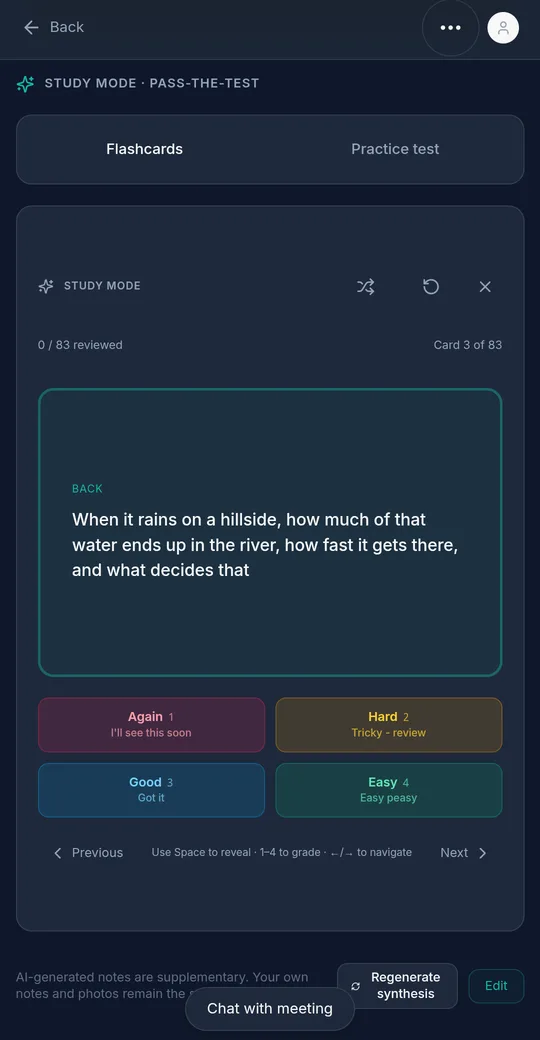
The Pass the Test template pulls the facts worth remembering out of the session and writes them as cards with a question on the front and the answer on the back.
- Tap a card or press Space to flip it.
- Rate each card Again, Hard, Good, or Easy, with keys 1 to 4 on a keyboard.
- Shuffle the deck, step back and forth, or reset your ratings and start over.
- Your ratings are saved, so you can stop and pick up later.
- Export the deck to Anki or as a CSV from the meeting's share page.
Practice tests
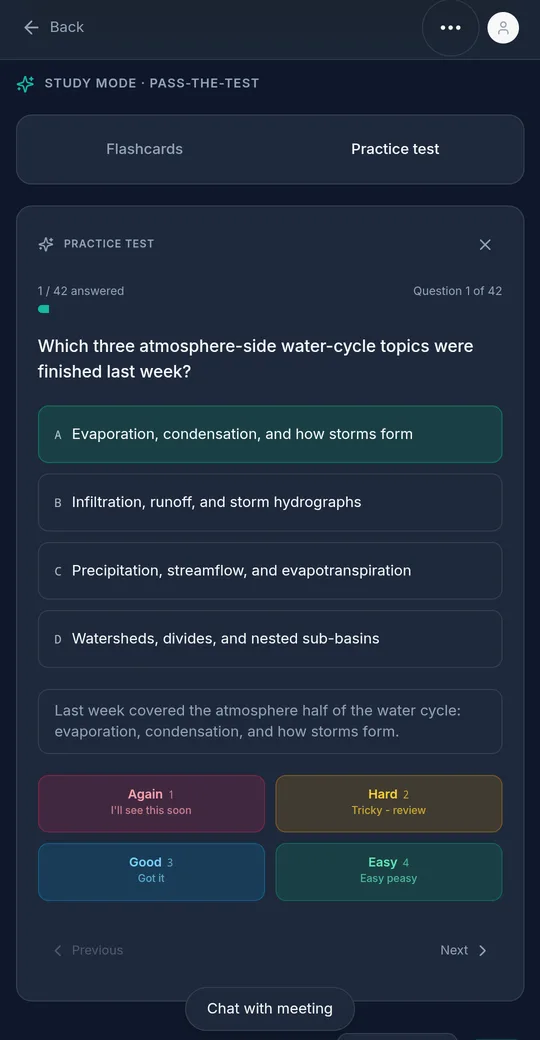
The same template writes a multiple choice quiz from your notes and flashcards. Each question has four answers and a short explanation.
- The answer order is shuffled every time a question appears, so you can't memorize the letter.
- After you answer, rate how hard it was. Rating moves you to the next question.
- Answers are saved, so you can leave and come back.
- The quiz grows with the session. A short talk gets around a dozen questions, and a long lecture can get up to 80.
Mind maps
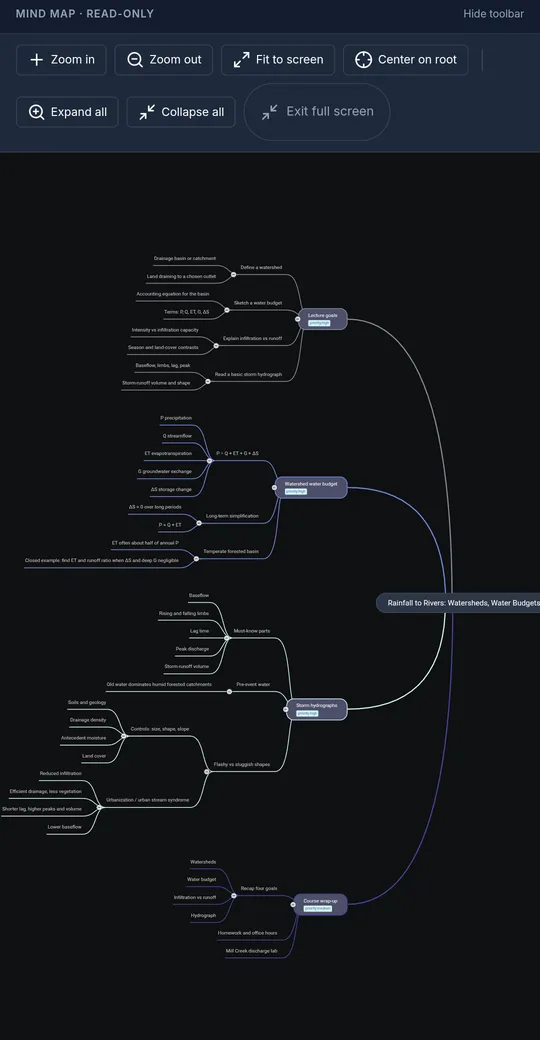
The Mind Map Notes template puts the main topic in the center and branches out into themes, supporting points, and details, up to six levels deep, using only what was said.
- Zoom, fit to screen, center, expand all, or collapse all from the toolbar.
- On a phone, pinch to zoom and drag to move around.
- The Word (DOCX) and PDF exports include the map as an image.
Who it's for
Students
Record a class on your phone or laptop and review it with flashcards and a practice test before the exam, instead of rewatching the whole lecture.
Seminar and conference attendees
Keep the talks you sat through. A mind map shows how the ideas fit together, and the transcript is there when you need the exact words.
Corporate training
Turn a recorded onboarding or compliance session into cards and a quiz you can go back to when it matters, not just the week of the training.
Questions
Which plans include Study mode?
Every plan, including Free. Study mode is not a paid add on. Free includes 4 hours of transcription a month, and paid plans start at $15 a month for 12 hours. Adding a study view to a recording you already have does not use your hours, but you need some hours left that month.
Where can I use it?
In the browser at summitscribe.app and in the SummitScribe apps for Windows, Mac, Linux, iPhone, and Android. Your decks and progress are tied to your account, so you can start on one device and keep going on another.
Can I use a recording I made somewhere else?
Yes. Upload an audio file (MP3, M4A, WAV, WEBM, OGG, AAC, FLAC, MP4, up to 400 MB) and choose Pass the Test or Mind Map Notes.
How long can the lecture be?
SummitScribe handles 2 to 4 hour recordings. For long sessions it writes flashcards section by section and then merges them, so a three hour class does not shrink to a handful of cards. The practice test grows with the lecture, up to 80 questions.
Can I export my flashcards to Anki?
Yes. Create a share link for the meeting and download the deck as an Anki file (tab separated) or a CSV from the share page. The Word (DOCX) export also includes the flashcards.
Does it make things up?
The study prompts tell the AI to use only what was said in the recording. AI can still get details wrong, so check cards against your own notes and the transcript, which sit in the same meeting.
Do you train AI models on my recordings?
No. We do not train AI models on your recordings, transcripts, notes, or photos.
More detail is in the Study mode help article.
Study your next lecture
The free plan includes 4 hours of transcription every month, with no credit card.